A music player made for slowed + reverb
Cherry is a personal music player for the versions you actually listen to. Keep every slowed + reverb track you love in one library, cut each one to your favourite part, and loop it.
Try Cherry free →Built for the versions you love
Slowed + reverb versions are some of the most played music around, but they're scattered and hard to find again. You hear the perfect slowed version once, and then it's gone in a sea of near-identical uploads.
Cherry fixes that. Save the exact version you love, and it stays in your library, with a clean title and the version kept right next to the artist so you can tell your slowed and original versions apart at a glance.
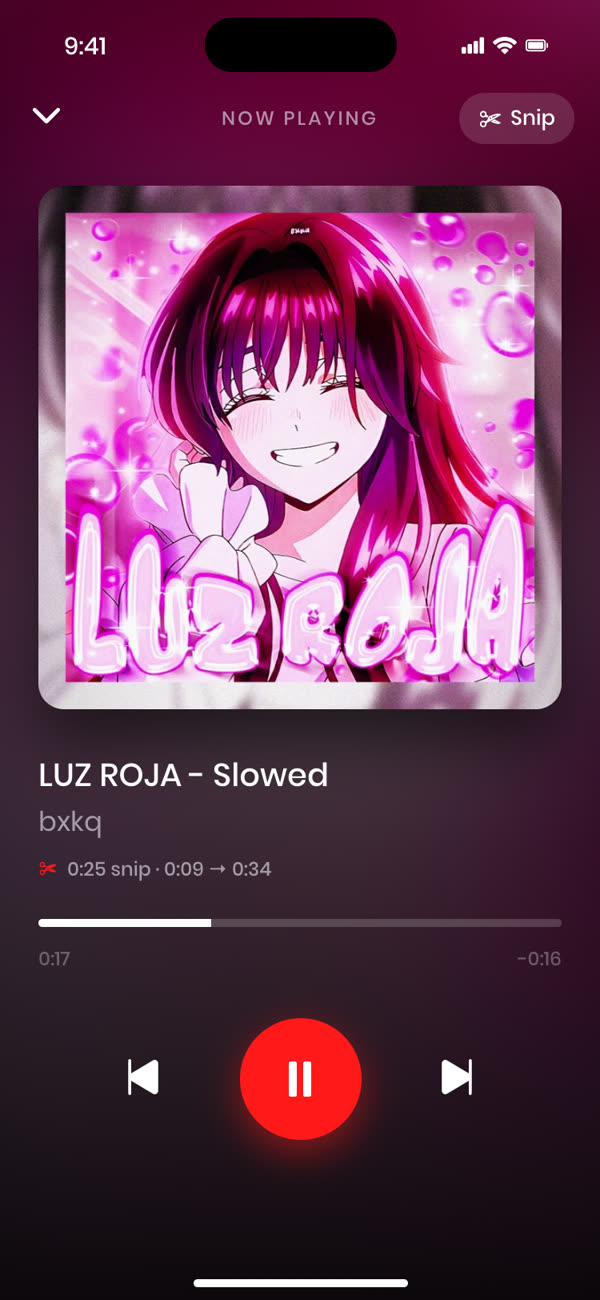
Snip it to the best part
Slowed songs are all about the mood, and usually there's one moment that hits hardest. Cherry lets you cut any song down to that moment and loop it seamlessly.
Search and add
Find the slowed + reverb version you want and add it to your library.
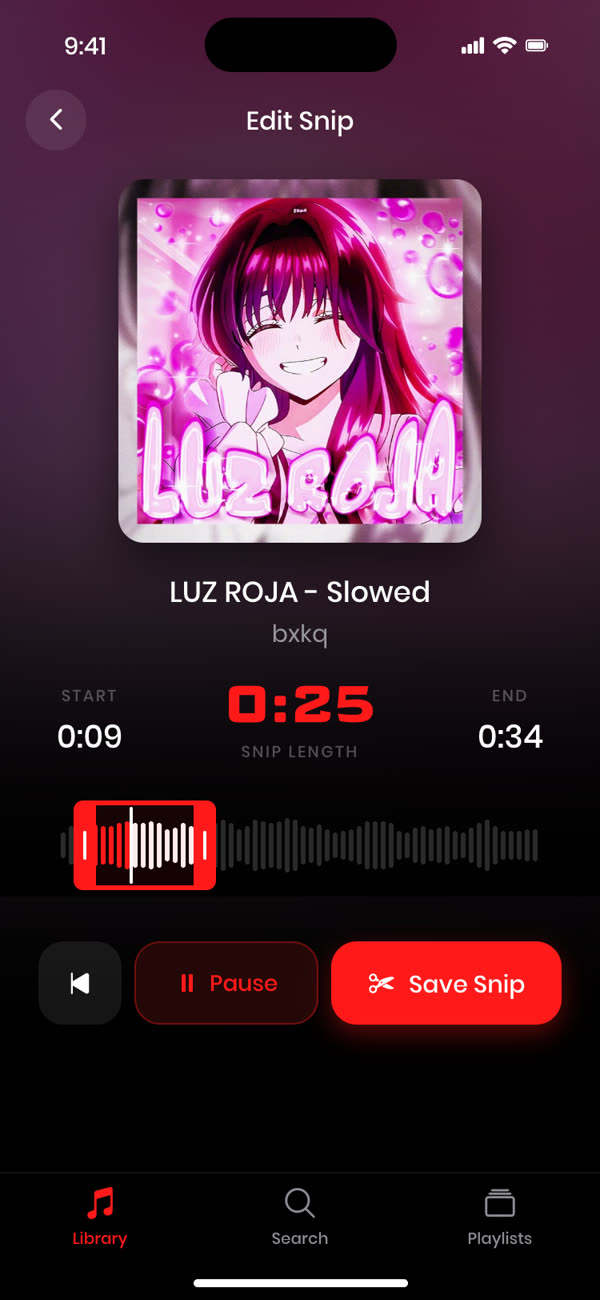
Snip your moment
Drag the grips around the part you love and preview it.
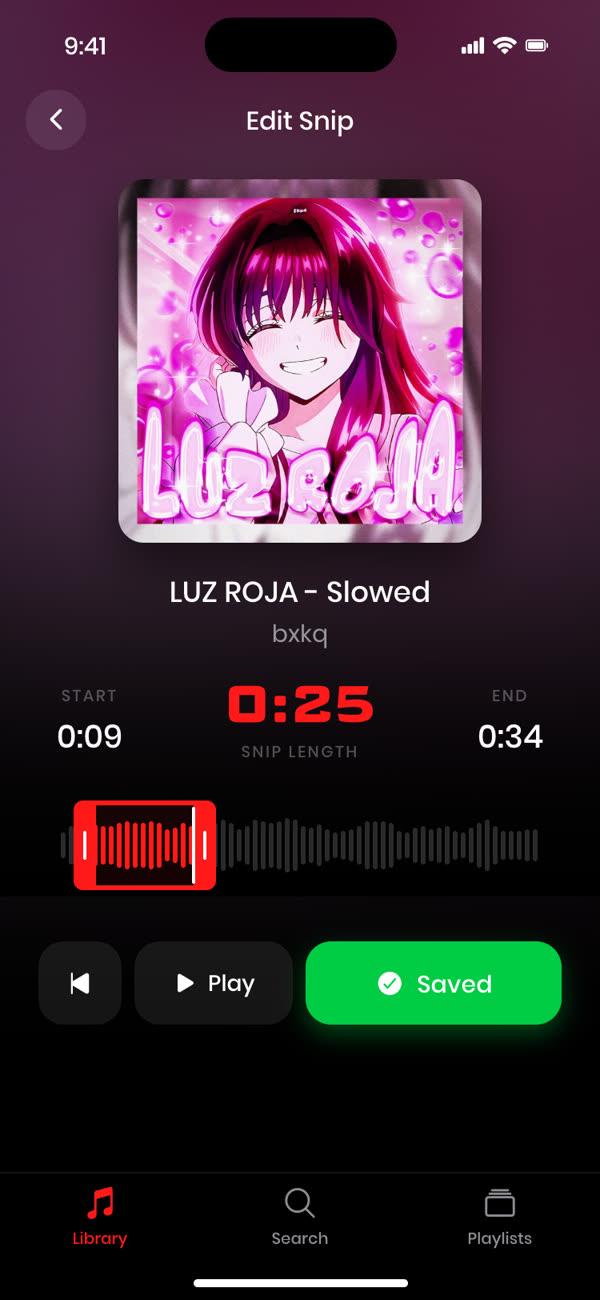
Loop it
Save the snip and Cherry plays it on repeat.
Playlists for every mood
- Late nights: your slowest, heaviest reverb tracks.
- Focus: long snips that fade into the background.
- The Vault: the versions you'd never want to lose.
Mix slowed, super slowed, sped up and original versions freely. Your library, your rules.
Frequently asked questions
Can I keep both the original and the slowed version?
Yes. Save as many versions of a song as you like. Cherry shows the version next to the artist so they're easy to tell apart.
Does Cherry work with super slowed and nightcore too?
Yes. Slowed, super slowed, sped up, nightcore, bass boosted, remixes: if you can find it, you can keep it.
Is Cherry free?
Your first 3 songs are free, with full snipping and looping. Cherry Pro unlocks an unlimited library.
Snip any track to the perfect moment.
Free for your first 3 songs.
Get started free →