How to loop part of a song
Add the song to Cherry, open the snip editor, and drag the two grips to where your favourite part starts and ends. Save it, and Cherry plays just that part on repeat, with no gaps and no skipping back by hand.
Try Cherry free →Why loop just one part?
Most of us don't love every second of a song. It's the chorus, the drop, the build-up or one line you can't stop replaying. Looping that part means you hear exactly what you came for, over and over, without reaching for your phone every thirty seconds.
It's also handy for learning: practising a dance routine, memorising lyrics, working out a guitar part or studying a melody.
How to do it in Cherry
Add the song
Search for any song and add it to your library. Cherry keeps the exact version you pick, so slowed, sped up and remixed versions all work.
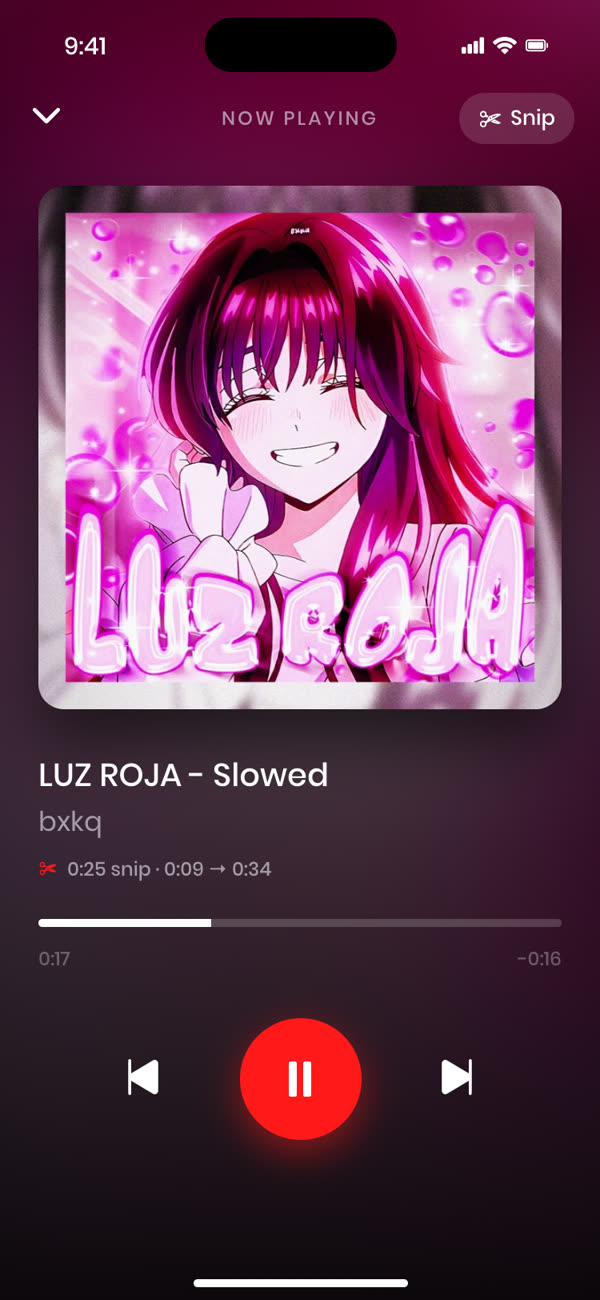
Open the snip editor
Tap the scissors next to the song. You'll see the whole track as a waveform with a red box around it.
Drag the grips to your part
Move the left grip to where your part starts and the right grip to where it ends. Press Play to preview it until it sounds right.
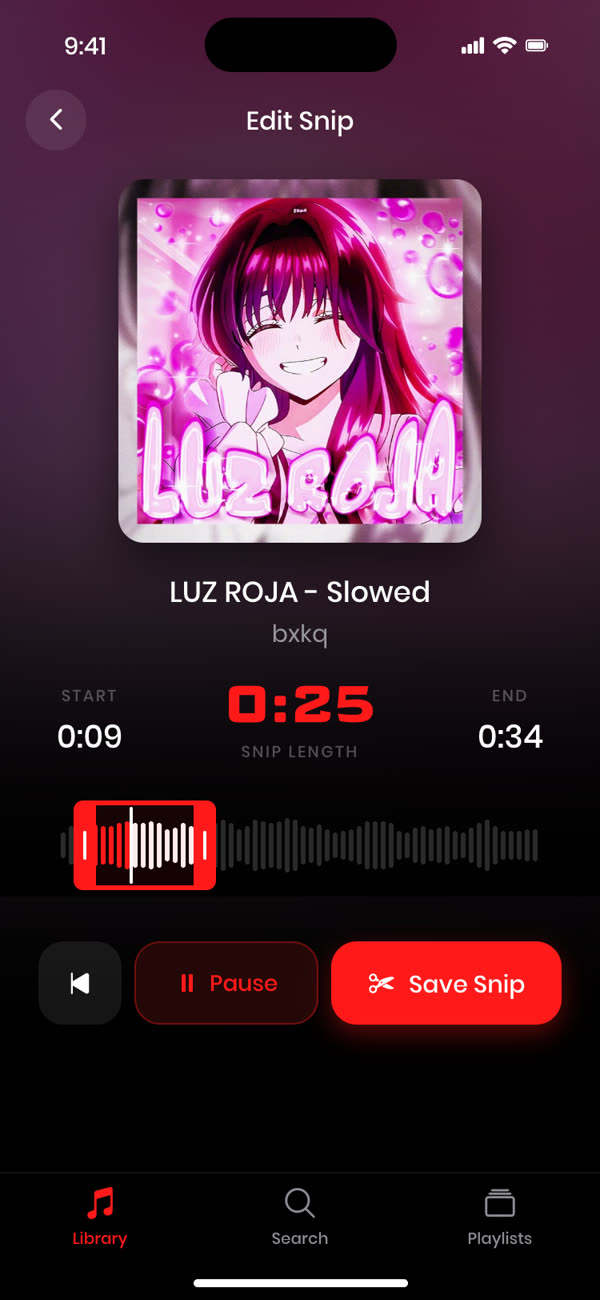
Save your snip
Tap Save Snip. From now on, that song plays just your part, on repeat.
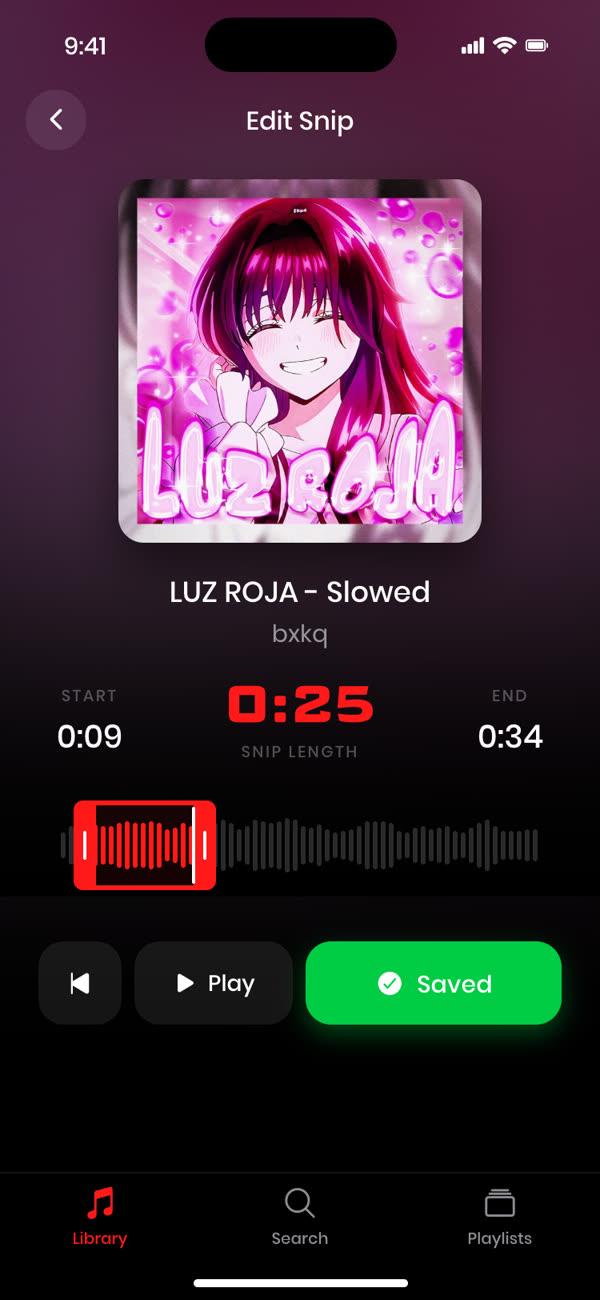
Tips for a perfect loop
- Start just before the beat. Starting a split second early makes the loop feel natural.
- End on a phrase. Cut where a line or bar finishes so the jump back to the start sounds intentional.
- Preview a few times. Nudge the grips until the loop flows.
- Build a playlist of snips. A whole playlist of only the best parts is hard to go back from.
Frequently asked questions
Can I loop part of any song?
Yes. Any song you can find in Cherry's search can be snipped and looped, including slowed, sped up and remixed versions.
Can I change the part later?
Yes. Open the snip editor again, move the grips and save. You can change a snip as often as you like.
Is it free?
Your first 3 songs are free, with full snipping and looping. Cherry Pro unlocks an unlimited library.
Does it work on my phone?
Yes, Cherry works in your phone's browser. On phones, music pauses when the screen locks or you leave the browser, so for non-stop listening use Cherry on a laptop.
Snip any track to the perfect moment.
Free for your first 3 songs.
Get started free →